
Last updated: 2026-10-05
The Virtusx Phronesis boosts productivity more than the Logitech MX Keys because it adds AI chat (ChatGPT, Claude, Gemini, Grok) one key away, AI voice typing and dictation into any app in 50+ languages, AI meeting recording with speaker labels and a one-click AI summary, and AI voice translation as you speak — features MX Keys simply doesn't have. Instead of switching between a keyboard, a separate transcription app, a translator, and a chat window, you stay in one place and let the keyboard handle the extra steps. If all you want is quiet, comfortable typing without any of that, the MX Keys is the simpler choice. Below, we break down specs, software, and connectivity so you can match the keyboard to how you actually work, not just how it looks on a spec sheet.
Quick Verdict: Which Keyboard Wins for Productivity
The Virtusx Phronesis boosts productivity because it puts AI chat (ChatGPT, Claude, Gemini, Grok), AI voice typing and dictation into any app in 50+ languages, AI meeting recording with speaker labels and a one-click AI summary, and AI voice translation as you speak all on the keyboard itself. It's a tenkeyless (87-key) wireless mechanical keyboard with a built-in AI chip and microphone, so those AI actions are one key or button away instead of living in a separate app or device.
If you want a keyboard that disappears into your routine — quiet, comfortable, and focused purely on typing — the MX Keys is the simpler choice. It's a low-profile scissor-switch keyboard with adaptive backlighting, built for people who type a lot and don't want to think about the keyboard at all.
Neither is objectively "better" in a vacuum — the right choice depends on whether you want a keyboard that actively helps with AI chat, dictation, meeting notes, and translation, or one that simply gets out of the way.
Virtusx Phronesis Overview and Key Features
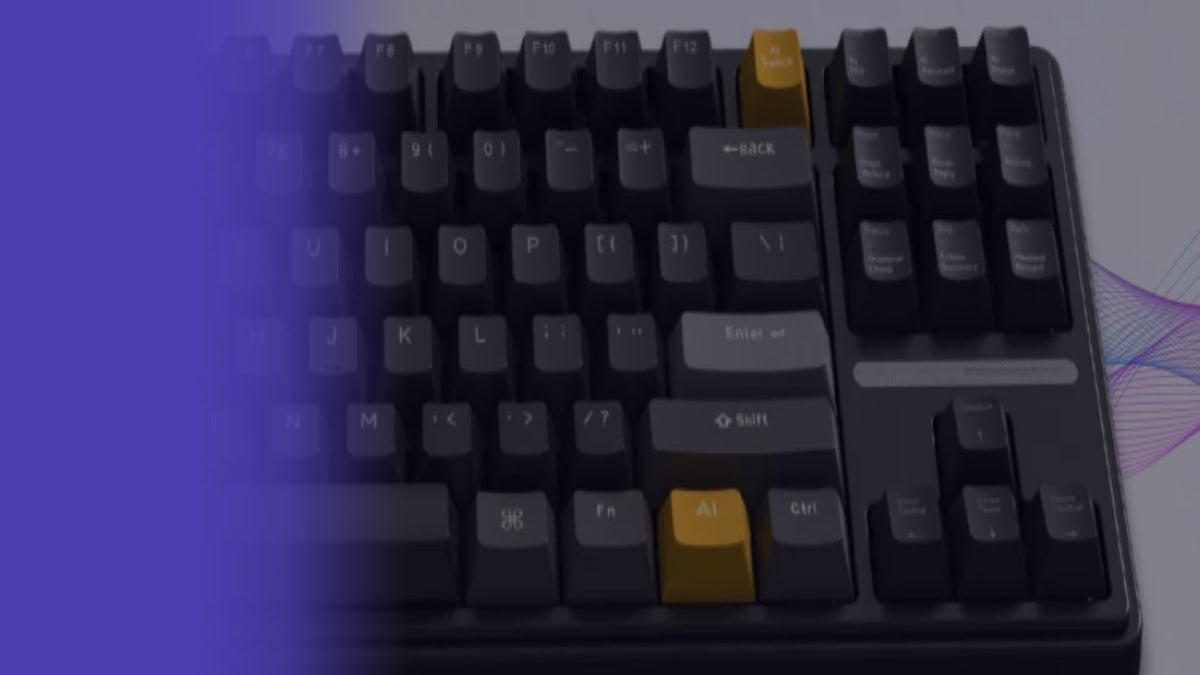
The Virtusx Phronesis is a wireless mechanical keyboard with a dedicated AI Switch key that toggles between normal typing and AI mode. In AI mode, the navigation cluster becomes a bank of shortcuts: AI assistant, short writing, email reply, grammar check, article summary, meeting record, voice typing, voice translation, and a smart toolbar.
Key specs:
- 87-key tenkeyless layout, available in black or white
- RK Misty Rain linear switches, pre-lubed, 40 gf actuation force, hot-swappable with no soldering
- PBT keycaps with dye-sublimation legends and an anti-oil finish
- RGB backlighting with 12 built-in modes
- Tri-mode connectivity: Bluetooth (up to 3 devices), 2.4 GHz USB receiver, or USB-C wired
- Built-in microphone for meeting recording and voice input
- Works with the Virtusx AI App (formerly V-AI) on Windows 10/11 and macOS 12+
The built-in microphone lets the Phronesis record online and in-person meetings directly through the keyboard, without needing a specific video platform integration.
Logitech MX Keys Overview and Key Features
The Logitech MX Keys is a full-size, low-profile keyboard aimed at people who type for long stretches — writers, developers, and anyone juggling multiple computers. It pairs with Logi Options+ software for app-specific shortcuts, Flow (cross-computer copy-paste), and Easy-Switch between up to three Bluetooth-paired devices.
Widely published specs:
- Scissor-switch low-profile keys, concave keycap shape
- Adaptive white backlighting that reacts to ambient light and hand proximity
- Bluetooth Low Energy or Logi Bolt USB receiver
- Compatible with Windows, macOS, Linux, Chrome OS, and iPadOS
- USB-C charging, no mechanical switch hot-swapping
MX Keys is not a mechanical keyboard, has no built-in microphone, and does not include AI-specific shortcuts or meeting recording.
Full Spec Comparison Table
| Spec | Virtusx Phronesis | Logitech MX Keys |
|---|---|---|
| Switch type | RK Misty Rain linear mechanical, hot-swappable | Scissor-switch (low-profile) |
| Connectivity | Bluetooth (3 devices), 2.4 GHz receiver, USB-C wired | Bluetooth Low Energy, Logi Bolt receiver |
| Backlighting | RGB, 12 modes | Adaptive white backlighting |
| Dimensions | 138.3 × 354.7 × 39 mm | 430.2 × 131.6 × 20.5 mm |
| Weight | 910 g | 810 g |
Note: Phronesis dimensions are listed as width × depth × height per the manufacturer spec sheet.
Typing Experience and Ergonomics
Typing feel comes down to switch type. The Phronesis uses RK Misty Rain linear switches, pre-lubed, with a 2.0 mm actuation point and 3.4 mm total travel — a smooth, consistent keystroke without a tactile bump, with the added benefit of hot-swappable switches if you want to tune the feel later without soldering.
MX Keys uses scissor switches with a shorter, quieter keystroke and a slightly dished keycap designed to guide fingertips. It's quieter in open offices and shared spaces, and its low-profile height (20.5 mm) suits people who prefer a flatter typing angle without a wrist rest.
Neither keyboard includes a numpad in its standard tested configuration here — the Phronesis is tenkeyless by design, and MX Keys (full-size) includes one, though the comparison above reflects the standard MX Keys spec sheet.
Software, Macros, and Customization
This is where the two diverge most.
The Phronesis pairs with the Virtusx AI App, which is free with the keyboard — core features included, with a paid upgrade for stronger AI models, longer meeting time, and templates. Through the app, the AI Switch key and navigation cluster become programmable shortcuts for dictation (50+ languages), real-time translation, AI chat (OpenAI, Claude, Gemini, Grok), document Q&A, and a smart toolbar for rewriting and summarizing text in any app.
MX Keys relies on Logi Options+ for remapping keys, setting app-specific actions, and enabling Flow. It's a mature, polished piece of software, but it is not built around AI task automation — it's a key-remapping and multi-device layer, not a workflow assistant.
If your definition of "productivity" means fewer manual steps — dictating an email, summarizing a document, or triggering a meeting recording with one key — the Phronesis software does more work for you out of the box. If it means consistent, predictable shortcuts across a fleet of computers, Logi Options+ is the more established tool.
Connectivity
Both offer tri-mode flexibility of a kind: the Phronesis supports Bluetooth (3 devices), a 2.4 GHz USB receiver, and wired USB-C, with a physical mode switch on the back. MX Keys supports Bluetooth Low Energy and Logi's Bolt receiver, with Easy-Switch across up to three paired devices. Functionally similar for switching between a laptop and desktop; the Phronesis adds a wired option MX Keys' standard spec doesn't emphasize.
Price and Value for Money
The Phronesis includes additional hardware and software features compared to the MX Keys: hot-swappable mechanical switches, RGB lighting, a built-in microphone, and bundled AI software versus a proven, quieter typing experience with mature cross-platform software.
If you already have dictation, meeting-notes, or AI-chat tools in your stack, MX Keys may be the better value. If you'd use the AI shortcuts regularly, the Phronesis is easier to justify against separate transcription or AI subscription tools.
Comparison Scorecard
| Category | Virtusx Phronesis | Logitech MX Keys |
|---|---|---|
| Typing feel | Mechanical, linear | Quiet, low-profile |
| Software/customization | AI shortcuts, meeting recording | Logi Options+, Flow, Easy-Switch |
| Build quality | PBT keycaps, hot-swappable switches | Aluminum top plate, scissor switches |
Who Should Buy Virtusx Phronesis
Choose the Phronesis if you:
- Attend frequent meetings and want one-key voice recording and AI summaries
- Dictate emails, articles, or notes regularly and want built-in voice typing
- Prefer mechanical switches and want the option to hot-swap them later
- Want AI shortcuts (grammar check, summarization, translation) without opening a separate app each time
Pair it with the Virtusx AI App to unlock the full shortcut layer, or check compatibility and switch options on the keyboard page.
Who Should Buy Logitech MX Keys
Choose MX Keys if you:
- Type for long hours and want the quietest, flattest typing feel
- Need rock-solid cross-platform support (Windows, macOS, Linux, Chrome OS, iPadOS)
- Already use Logi Options+ or Flow across multiple Logitech devices
Final Recommendation
For productivity defined as "fewer manual steps and more built-in automation," the Virtusx Phronesis is the stronger choice — its AI shortcuts and meeting recording reduce the number of tools you need open at once. For productivity defined as "a reliable, comfortable keyboard that just works across devices," the MX Keys remains the safer, lower-cost pick.
If you're also considering a matching input device, the Virtusx Jethro AI Mouse uses the same Virtusx AI App for voice typing and translation, so the two work as a set.
FAQ
Is the Virtusx Phronesis compatible with Mac and Windows?
Yes, the Virtusx Phronesis supports Windows 10/11 and macOS 12+.
Does the Logitech MX Keys have backlighting?
Yes, the MX Keys features adaptive backlighting that adjusts based on ambient light and hand proximity.
Can I use macros on both keyboards?
The Virtusx Phronesis does not offer macro programming; instead, its AI Switch key and navigation cluster give you AI shortcuts for things like voice typing, voice translation, and meeting summaries. The MX Keys offers limited key customization via Logi Options+.
Which keyboard is better for multitasking across devices?
Both let you connect to more than one device. The Virtusx Phronesis pairs over Bluetooth with up to three devices, plus a 2.4 GHz USB receiver and wired USB-C, switched using the mode switch on the back. The MX Keys uses Logi's Easy-Switch to move between up to three Bluetooth-paired devices.
Share:
Is the Virtusx Phronesis Keyboard Worth It?
Virtusx Jethro AI Mouse vs Windows Voice Typing