Help Center/Hardware/Jethro hardware
Jethro hardware
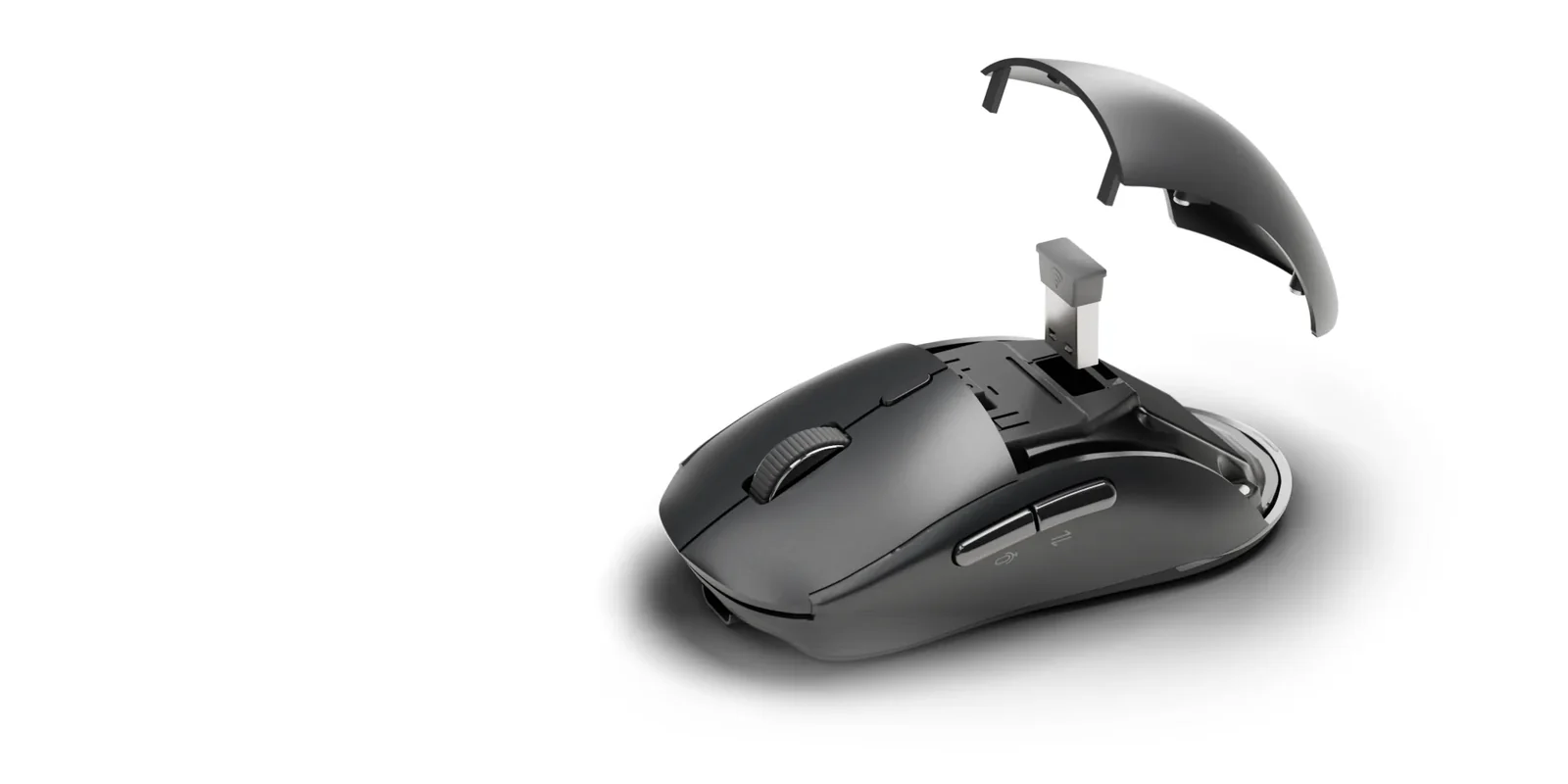
Charging, the power switch, the palm cover and receiver, and the three connections.
Articles
- Charge JethroPlug in the cable from the box. A full charge takes about 3 hours and lasts about 30 days.
- Connect JethroJethro connects three ways: wireless connection 1, wireless connection 2, or the USB receiver. Up to three computers.
Specs
- Size118 × 62 × 39 mm
- Weight2.4 oz
- KeysMic key, Translate key, AI key
- Battery400 mAh, about 30 days on a charge
- ChargingUSB-C, about 3 hours to full with the cable in the box. Do not use fast charging.
- ConnectionsWireless connection 1, wireless connection 2 and the USB receiver, for up to 3 computers
- SwitchingThe button on the bottom. Its light: red for the USB receiver, blue for 1, purple for 2.
- PowerA power switch on the bottom
- TrackingOptical, adjustable DPI, 800 to 4000
- Palm coverLifts off. The USB receiver is stored underneath.
- Works withWindows and Mac. Without the Virtusx app, Jethro works as a regular mouse.
- In the boxJethro, USB receiver, charging cable, user manual
- Warranty1 year